

How to Create a Professional Home Recording Studio on a Budget with Essential Gear and Software Tips
Setting up a home recording studio can feel overwhelming, especially when you want professional results without spending a fortune. The good news is that you don’t need the most expensive gear or software to create high-quality recordings. Whether you’re an artist working on demos or a music producer starting out, this guide will help you build a functional, affordable studio that fits your needs.
Choosing the Right Space for Your Studio
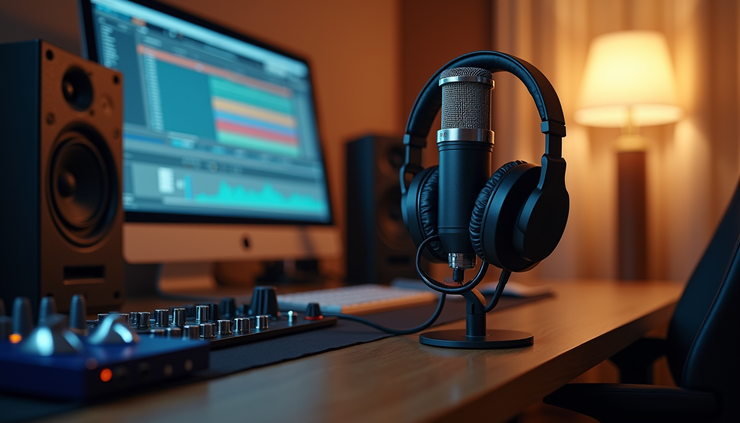
Before buying equipment, find a quiet, comfortable space with minimal background noise. A spare room, closet, or corner of your living room can work well. Consider these tips:
Use soft furnishings like curtains, rugs, and cushions to reduce echo.
Avoid rooms with hard surfaces that reflect sound.
Position your desk and speakers away from walls for better sound clarity.
Good acoustics improve your recordings and mixing, even if you don’t invest in expensive soundproofing.
Essential Gear for a Budget Home Studio
You don’t need a full professional setup to start recording. Focus on these key pieces of equipment:
Audio Interface
An audio interface connects your microphone and instruments to your computer. It converts analog signals to digital audio. Look for:
At least 2 inputs for microphone and instrument.
USB connectivity for easy setup.
Good preamps for clear sound.
Affordable options: Focusrite Scarlett 2i2, PreSonus AudioBox USB, or Behringer UMC22.
Microphones
The microphone choice depends on your recording needs:
Dynamic microphones like the Shure SM58 are durable and great for vocals and loud instruments.
Condenser microphones such as the Audio-Technica AT2020 capture more detail and work well for vocals and acoustic instruments.
If you’re on a tight budget, start with one versatile mic and upgrade later.
Headphones and Monitors
Use closed-back headphones for recording to prevent sound bleed.
Invest in affordable studio monitors or use good-quality headphones for mixing.
Accessories
Mic stand and pop filter to reduce unwanted noise.
Cables and shock mounts to improve sound quality.
Acoustic foam panels if your room is very reflective.
Software Choices: DAWs and Plugins
The Digital Audio Workstation (DAW) is the software where you record, edit, and mix your music. Your choice depends on your budget and goals.
Best DAWs for Beginners and Budget Users
GarageBand (Mac only) is free and user-friendly for beginners.
Reaper offers a full-featured DAW with a low-cost license and a free trial.
Cakewalk by BandLab is a free, professional-grade DAW for Windows users.
Audacity is open-source and free but limited for complex production.
Do Artists Need the Best Software?
For artists creating demos, the best software is the one that feels intuitive and meets basic recording needs. You don’t need the most expensive DAW to capture your ideas clearly. Producers working on detailed mixes might require advanced tools, but starting simple is fine.
Plugins and Virtual Instruments
Many DAWs come with built-in effects and instruments. You can also find free or inexpensive plugins online for EQ, compression, reverb, and virtual instruments. This helps keep costs low while expanding your creative options.
Balancing Expensive vs. Inexpensive Gear
Expensive gear often offers higher fidelity and durability, but it’s not always necessary for home studios. Here’s how to balance:
Prioritize a good audio interface and microphone over flashy gear.
Upgrade monitors and headphones gradually.
Use free or low-cost software until you outgrow it.
Focus on learning recording and mixing techniques to get the best sound.
Tips for Recording Professional Demos at Home
Record in a quiet environment with minimal background noise.
Use a pop filter and proper mic placement to capture clear vocals.
Keep levels consistent to avoid distortion.
Use basic EQ and compression to enhance your sound.
Don’t overproduce demos; keep them simple and focused on your performance.
When You’re Ready to License Songs
Once your recordings are polished, you might want to add professionally written songs to your catalog. Websites like allenmoonmedia.com offer a wide range of songs for male and female singers in genres like Rock, Pop, R&B, Big Band, Country, and even romantic bedroom music. Licensing songs from such sources can save time and add variety to your projects without breaking the bank.
Summary
Building a home recording studio on a budget is achievable with the right approach. Focus on a quiet space, essential gear like a quality audio interface and microphone, and user-friendly software. You don’t need the most expensive equipment to create professional-sounding demos or productions. Start simple, learn your tools, and upgrade as your skills grow. When you want to expand your music library, check out affordable song licensing options to enhance your creative output.


Comments